Monday.com Reviews - Comprehensive Insights on irzby.com
Looking for accurate and comprehensive insights about the popular project management tool, Monday.com? You're at the right place. Keep reading to dive deep into user experiences from irzby.com, detailing unbiased Monday.com reviews, including pros, cons, features, pricing, and more. By the end of this guide, you will have a better understanding of whether Monday.com is the right tool for your organization's needs and requirements.
What is Monday.com?
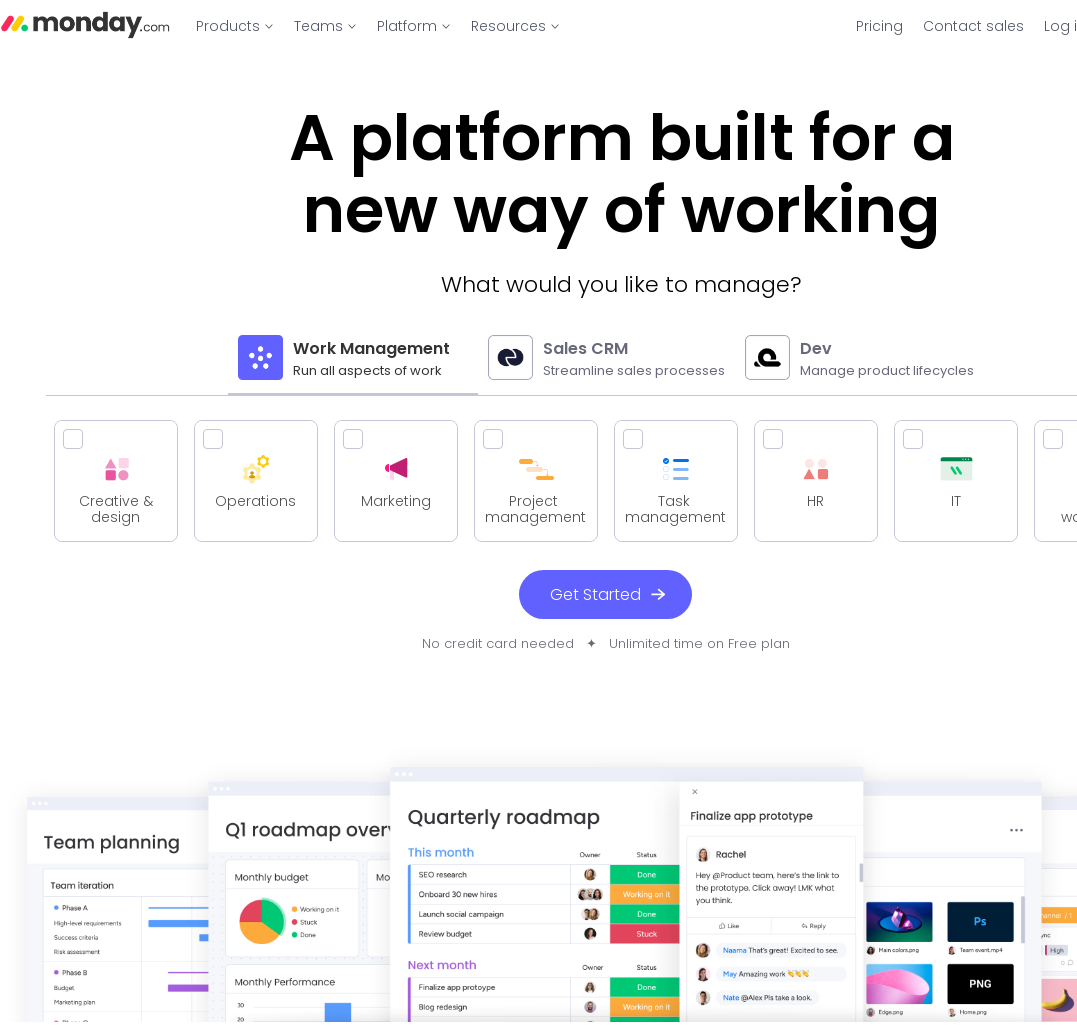
Monday.com is a cloud-based work operating system that allows teams to collaborate, manage tasks, track progress, and achieve project goals. It’s used by teams and businesses of all sizes, from startups to large corporations. We’ll begin with the basic questions:
What are the Main Features of Monday.com?
Monday.com offers a range of features focusing on collaboration, task management, time-tracking, progress tracking, and more. Let’s explore each:
-
Project and Task Management: Monday.com provides a clear visual platform for managing tasks and projects. You can create task boards, assign tasks to team members, schedule tasks, and track their progress.
-
Collaboration: It makes it easy for teams to collaborate in real-time, with options for document sharing, instant messaging, email alerts, and the like.
-
Time Tracking: It allows both manual and automatic tracking of time spent on tasks, which can later be analyzed for productivity management.
-
Integrations: It integrates seamlessly with other popular tools like Slack, Google Calendar, and Excel, adding to its functionality.
-
Dashboards: Monday.com comes with customizable dashboards for easy data visualization and reporting.
What are the Pros and Cons of Using Monday.com?
Like every software tool, Monday.com comes with its pros and cons. Here are some based on user reviews on irzby.com:
Pros
- It’s extremely user-friendly with an intuitive interface.
- The visual task boards make it easy to view tasks and their current status at a glance.
- There’s excellent team collaboration support.
- It offers high customization.
- It provides robust reporting capabilities.
Cons
- Some users have found Monday.com to be slightly pricey.
- There can be a learning curve for some of the more advanced features.
- It can be overwhelming with too many features for small teams or simple projects.
How is the Pricing for Monday.com?
Monday.com offers four pricing tiers - Basic, Standard, Pro, and Enterprise. The cost depends on the number of users and the level of functionality you need:
- The Basic plan starts from $8 per seat/month.
- The Standard plan is available at $10 per seat/month.
- The Pro plan starts from $16 per seat/month.
The Enterprise plan's pricing is based on a quote, adjusted according to your business requirements.
How is the User Experience with Monday.com?
Monday.com boasts a user-friendly interface that users on irzby.com have found intuitive and easy to use. Its visual task boards are particularly appreciated for providing a clear overview of tasks and their progress. Overall, the user experience seems positive, though some users did mention that the numerous features can feel overwhelming initially.
Is Customer Support Responsive?
The general consensus from user reviews on irzby.com is that Monday.com offers excellent customer support. It provides various mediums for reaching out, including email, chat, and phone. The response time is reportedly quick, and the support team is described as helpful and professional.
Is Monday.com Fit for Your Organization?
Whether or not Monday.com is right for your organization depends on your specific needs. It’s a versatile tool that can cater to many industries and team sizes. Its strength lies in task and project management, team collaboration, and progress tracking. If these are critical aspects for your organization, Monday.com may be a solid choice.
However, it’s worth noting that some users found it to be a bit overkill for simple projects or smaller teams. Also, if budget constraints are a significant concern, you may want to consider other more cost-effective options.
Conclusion
Overall, Monday.com appears to be a robust and user-friendly project management tool. It offers a host of features geared towards facilitating team collaboration, task management, and progress tracking – all crucial for effective project execution. However, for simple projects or very small teams, the numerous features may be more than required.
Remember to take into account not only the features but also your team's size, the complexity of your projects, and your budget. While Monday.com may be perfect for some, it may not necessarily be the best fit for everyone.
Frequently Asked Questions
-
Can Monday.com be used by small teams?
Yes, Monday.com can be used by teams of any size. However, some users have found it to be a bit too feature-rich for small teams or simple projects. -
Does Monday.com offer a free trial?
Yes, Monday.com provides a 14-day free trial that lets you test out the features before choosing a paid plan. -
Is it easy to migrate data from another tool to Monday.com? Yes, Monday.com supports integration with several other tools and allows for straightforward data import.
-
Is customer support available 24/7? While Monday.com offers several ways to reach customer support, it doesn't operate 24/7. They have specific operating hours and response times may vary.
-
Is it worth investing in the Pro plan of Monday.com? Whether or not the Pro plan is worth it depends on your needs. If you require advanced features like time tracking, guest access, and private boards, then the Pro plan could be a good investment.
Weaknesses of Monday.com
Limited Depth in Project Management Features
Monday.com offers a visually appealing interface and basic project management functionalities, but it lacks depth in some advanced project management features. This is particularly noticeable in areas like task dependencies and milestone tracking, which are essential for complex project planning. The platform's approach tends to favor simplicity over comprehensive project management capabilities, which can be a limitation for advanced users or complex projects.
Additionally, Monday.com's approach to project management is more suited to task tracking and collaboration, rather than detailed project planning. This can result in a lack of essential project management functionalities like advanced resource allocation and risk management tools, which are critical for larger or more intricate projects.
User Interface Complexity
While Monday.com is praised for its colorful and engaging interface, this can also be a downside. The platform's interface, packed with features and customization options, can be overwhelming for new users. The learning curve is steeper compared to more straightforward project management tools, which can lead to a longer onboarding process for teams.
Moreover, the interface can become cluttered, especially when handling multiple projects or when projects grow in complexity. This clutter can hinder the user's ability to quickly find information or understand the project's status at a glance, affecting overall productivity.
Integration Limitations
Monday.com offers integration with several third-party applications, but the depth and breadth of these integrations can be limited. For organizations that rely heavily on other tools, this can result in a disjointed experience, where critical data might need to be manually transferred between systems, leading to inefficiencies.
Furthermore, while Monday.com has made strides in improving its API for custom integrations, it still lags behind some of its competitors in terms of ease of integration and the range of available integrations. This can be a significant drawback for tech-heavy teams that require extensive integration capabilities.
Pricing Model
Monday.com’s pricing model can be a challenge, particularly for small businesses or startups. The platform operates on a per-user pricing model, which can become expensive as teams grow. This model can be prohibitive for organizations with a large number of users or those that experience frequent changes in team size.
In addition, the tiered pricing structure means that more advanced features are locked behind higher pricing tiers. This can lead to situations where teams need to upgrade their plan to access specific functionalities, significantly increasing the cost.
Mobile App Limitations
While Monday.com offers a mobile app, its functionality is limited compared to the desktop version. Users often find that the mobile app lacks certain features or doesn't provide the same level of usability and experience. This can be a significant drawback for teams that rely on mobile access for productivity and collaboration.
The limitations in the mobile app can affect real-time project tracking and management, especially for teams that are frequently on the move or rely on remote working arrangements.
Reporting and Analytics
Monday.com's reporting and analytics capabilities are relatively basic. The platform does not offer advanced analytics or custom reporting features that many other project management tools provide. This can be a significant limitation for organizations that need detailed insights into project performance, resource utilization, and productivity metrics.
The lack of advanced analytical tools means that teams may need to use external tools for in-depth analysis, leading to additional costs and potentially fragmented workflows.