Notion Reviews - The Complete Analysis of the Notion Platform
Organizing information can be a daunting task whether you're managing a team or just handling your own schedule. Fortunately, there are applications designed to ease this burden. One such app is Notion. However, before committing to any program, understanding its strengths and weaknesses is vital. Join us as we dive into this comprehensive analysis of the Notion platform.
What is Notion?
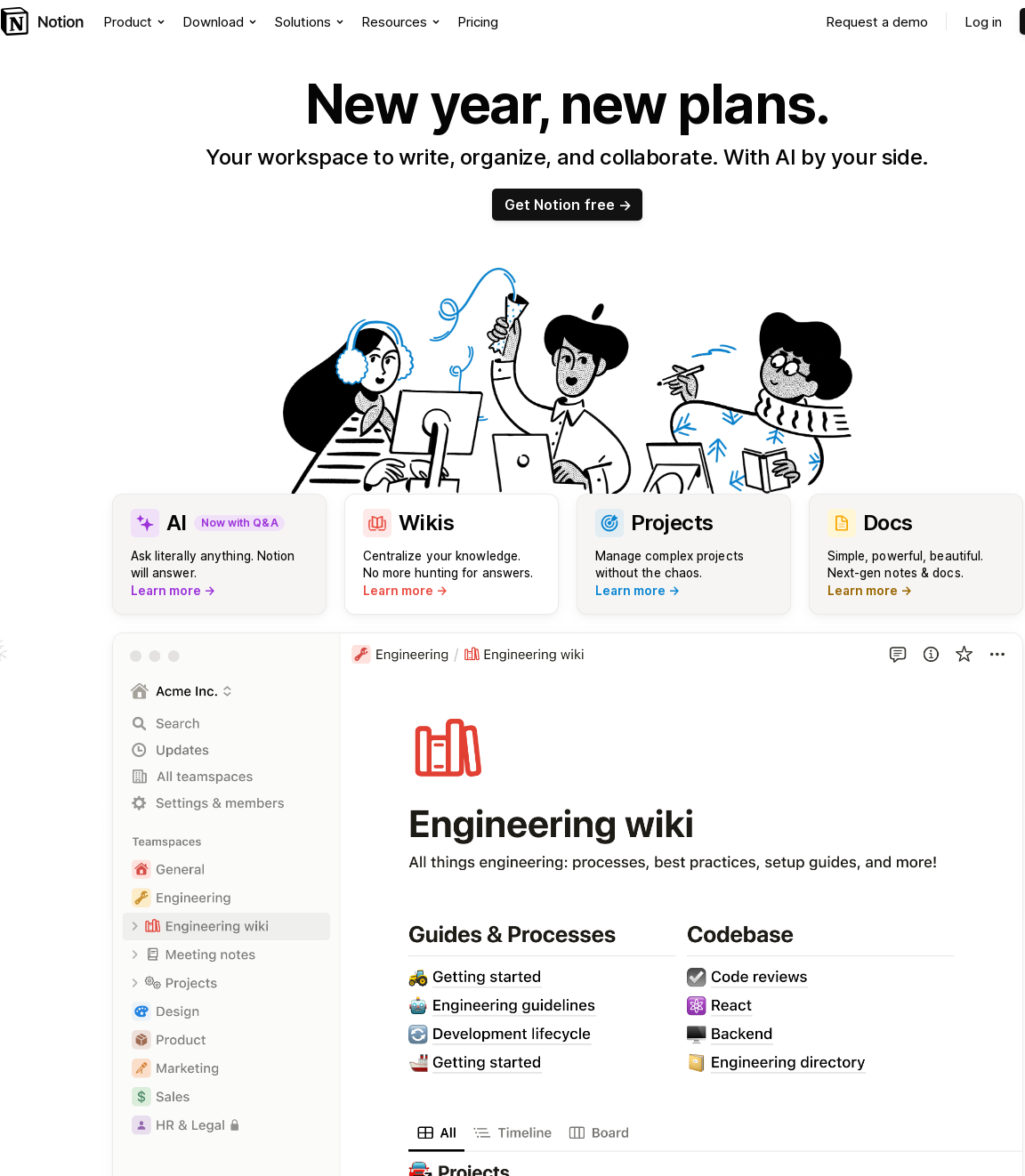
Notion is an all-in-one workspace that integrates notes, tasks, wikis, and databases. The platform provides tools to write, plan, collaborate, and organize information effectively.
Founded by Ivan Zhao and Simon Last in 2018, Notion is now used by millions of people worldwide, transcending the boundary between personal productivity app and team collaboration tool.
Key Features of Notion
- Notes & Docs: Users can create, share and collaborate on notes and documents in real-time, making it an ideal tool for teams.
- Knowledge Base: Notion serves as a centralized place that houses important company information in an organized and accessible manner.
- Tasks & Projects: Users can manage their projects, plan their tasks and track their progress in Notion.
- Spreadsheets & Databases: Notion integrates the functionalities of spreadsheets and databases providing a robust tool for managing complex data.
Is Notion User Friendly?
Notion has an intuitive user-interface that makes navigation easy. However, it might require some time for a new user to familiarize themselves with its features and functionalities. The platform provides extensive documentation and tutorials to help users understand how to use the app effectively.
How Much Does Notion Cost?
Notion operates on a freemium model where users can start with a basic free plan and later upgrade to premium plans for more features. As of 2022, Notion's pricing tiers are:
- Free Plan: $0 per month, with limitations on the number of blocks.
- Personal Plan: $4 per month, with unlimited blocks and sharing.
- Team Plan: $8 per user per month, with collaborative tools and admin features.
- Enterprise Plan: Pricing varies, offering advanced security options and priority support.
Notion Vs. its Competitors
When comparing with competitors like Evernote, Asana, Trello, or Slack, Notion holds its ground with the advantage of being a multifunctional platform. Its integration of note-taking, project management, and database management makes it suitable for a wide range of tasks, while most competitors tend to specialize in one area.
Indeed, Notion is not the best in every department, but its amalgamation of different functionalities provides a unique proposition. It eliminates the need to have separate apps for different tasks, thus providing a unified workspace.
Conclusion - Is Notion Worth it?
Notion's combination of note-taking, data management, and collaborative capabilities makes it a great option for both individuals and teams seeking to improve their productivity. The app has a learning curve, but due to its comprehensive tutorials and documentation, new users can quickly learn and get the most out of it.
The freemium pricing structure allows users to try out the basic features before committing to a paid plan. While it may not specialize in one function like its competitors do, its all-in-one structure can eliminate the need for multiple apps for different tasks, in turn saving time and streamlining workflow.
Overall, based on our comprehensive analysis, Notion is a reliable, multifunctional platform worth considering for your personal and professional needs.
Frequently Asked Questions about Notion
-
Is Notion safe to use?
Yes, Notion uses standard encryption methods to keep your data secure. It also allows users to control the data they share with other people.
-
Can I use Notion offline?
Notion does support offline editing and viewing. Changes made offline will be synced when you’re back online.
-
Does Notion have a mobile app?
Yes, Notion offers a mobile app on both iOS and Android platforms.
-
Can Notion replace project management tools like Asana or Jira?
It depends on your specific needs. Notion offers task and project management features, but it may not be as robust as dedicated project management software like Asana or Jira.
-
Can I use Notion for free?
Yes, Notion offers a free-to-use plan, which includes 1,000 blocks of storage. However, for additional features and storage, you will need to upgrade to a paid plan.
Weaknesses of Notion
Limited Project Management Capabilities
Notion, while highly versatile as a note-taking and organizational tool, falls short in specific project management capabilities. It lacks advanced features like Gantt charts, time tracking, and in-depth task dependencies that are essential for comprehensive project management. This makes it less suitable for managing complex projects with multiple layers of tasks and deadlines.
Additionally, Notion's approach to task management is more general-purpose and lacks the specialized project management workflows found in dedicated project management tools. This can be a limitation for teams needing robust project tracking and management functionalities.
Interface Complexity and Learning Curve
Notion's highly flexible interface, one of its key strengths, also contributes to its complexity. New users often find the platform overwhelming due to its extensive range of features and customization options. This steep learning curve can lead to longer onboarding times and may hinder quick adoption within teams.
Moreover, the flexibility in customization means that users often need to spend significant time setting up their workspace. This can detract from productivity, especially for users looking for a more straightforward, out-of-the-box solution.
Limited Offline Capabilities
One of Notion's significant limitations is its dependency on internet connectivity. The platform's offline capabilities are limited, which can be a major drawback for users who need to access and edit their documents in environments with poor or no internet connection.
This limitation affects mobile users in particular, as they are more likely to encounter situations with unreliable internet access. The lack of robust offline functionality can hinder productivity and accessibility in such scenarios.
Performance Issues
Users have reported performance issues with Notion, particularly when dealing with large databases or extensive pages. The platform can experience slow loading times and lag, which can be frustrating and hinder efficient workflow, especially for heavy users or large teams.
These performance issues are more pronounced in the mobile app version of Notion, where the experience is not as seamless as on the desktop application, further impacting the platform's usability.
Integration and Export Limitations
While Notion supports basic integrations with some popular tools, its overall integration capabilities are limited compared to specialized project management software. This can be a hindrance for teams that rely on a wide array of tools and require seamless integration between them.
Furthermore, exporting data from Notion can be cumbersome, especially when dealing with complex databases or formatted content. The lack of straightforward export options limits the platform's flexibility, particularly for users who need to migrate their data to other systems.
Limited Customization in Templates
Notion offers a variety of templates, but the level of customization within these templates is limited. Users may find that the templates don't perfectly fit their specific needs and modifying them can require a deep understanding of Notion's functionality.
This limitation in template customization can be a barrier for users who are not as tech-savvy or for those who prefer a more straightforward, customizable solution for their organizational needs.
Note: This analysis is based on information available as of [current year] and may not reflect the latest updates or features added to Notion.