User Reviews of Trello on Irzby.com
Since its inception, Trello has captivated users with its intuitive, visual interface that simplifies task and project management. This review captures the insightful experiences of users on irzby.com, focusing on Trello's utility for project management, task organization, team collaboration, and more.
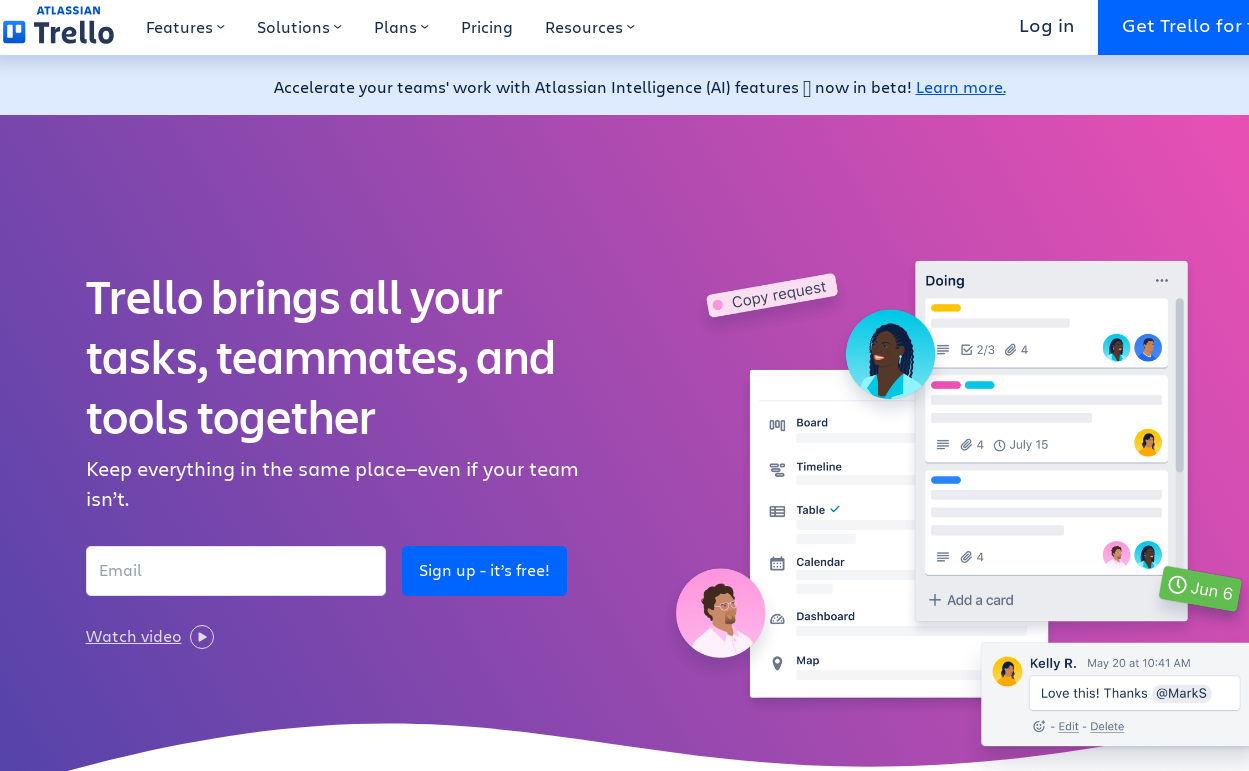
What is Trello?
Trello is a web-based platform designed to ease project management and facilitate effective team collaboration. The software uses the methodology of Kanban boards to make task monitoring more engaging, organized, and efficient.
User Experiences and Feedback
Task Organization
Trello excels in task organization, as reflected by a majority of the user reviews. The Kanban board allows users to create numerous boards, lists, and cards to cater to both simple and complex tasks. Users praised Trello for the simplicity it brings to task scheduling, with its checklists, due dates, and color-coded labels. Regardless of the project scale, users found it easy to organize their work, keep track of deadlines, and prioritize tasks effectively.
One user said, "I can easily break down my work into manageable tasks using Trello's card feature. It has made my workflow much more efficient."
Team Collaboration
Trello signficantly improves team collaboration, as described by multiple reviews. Members can easily collaborate on tasks in real time due to its interactive interface. Through features such as board inviting, card assigning, and comment addition, team conversation and member task-tracking become streamlined.
Another user expressed, "Trello has become an essential tool for our teams. It keeps us all on the same page, making it easy to collaborate and keep track of what everyone is working on."
Mobile App
Trello's mobile app reportedly offers the same functionality as the web version, maintaining a consistent user experience. Users cited the ease of accessibility the mobile app brings, allowing them to manage their tasks even when on the go.
A reviewer noted, "The Trello mobile app is a lifesaver. It allows me to keep up to date with my work from anywhere, at any time."
Integrations
Trello supports numerous integrations with other productivity tools like Google Drive, DropBox, Slack, and Github. Users found these integrations advantageous to their workflows, as it allowed centralization of related tasks and data.
One user stated, "The Slack integration for Trello is seamless. It makes task management for my software development team so much easier."
Advantages of Trello
Intuitive Interface
Most users praised Trello for its intuitive interface. The Kanban board structure provides a visual and easily understandable overview of tasks and projects. This high visibility approach to task management allows users to see progress in real-time, thus increasing productivity.
Extensive Customization
Trello allows extensive customization, which users found essential for a diverse array of projects. From card colors and labels to numerous power-up additions, Trello can be tailored to any working style and project requirement.
Scalability
Trello's scalability has been commended in several reviews. It is equally effective for small-scale personal projects and larger team-based assignments. The ease at which users can create and manage new boards, tasks, and subtasks make it a reliable tool for different project sizes.
Limitations of Trello
Limited Free Version
Several users mentioned the limitations of the free version, like the Kanban methodology restriction and limited power-ups. For users in need of a more robust tool, they were led towards the premium version.
Overwhelming for New Users
While the interface is generally appreciated for its simplicity, some new users found the plethora of features slightly overwhelming. They desired more straightforward onboarding guidance.
Limited Reporting Functionality
Some users found Trello lacking in more complex project management features, such as detailed reporting and analytics. They noted it's more suitable for simple task tracking rather than extensive project management.
Weaknesses of Trello
Trello is a popular project management tool known for its simplicity and Kanban-style task management. However, despite its popularity, Trello has several weaknesses and limitations that can impact its effectiveness in certain scenarios.
1. Limited Project Management Features
1.1 Basic Task Management
- Lack of Advanced Task Dependencies: Trello's basic structure does not natively support complex task dependencies. This can be a significant limitation for managing intricate projects where tasks are interdependent.
- No Built-in Time Tracking: There is no native feature for tracking the time spent on tasks, which is crucial for many project management needs.
1.2 Limited Reporting and Analytics
- Basic Reporting Tools: Trello’s reporting capabilities are quite basic. For complex projects requiring detailed reporting and analytics, Trello falls short.
- No Advanced Analytics: There is a lack of advanced analytical tools for measuring project performance, team productivity, and other key metrics.
2. User Interface and User Experience
2.1 Overwhelming Interface with Many Boards
- Cluttered Interface: When using multiple boards, the interface can become cluttered and overwhelming, making it difficult to manage and navigate between different projects.
2.2 Limited Customization
- Limited View Options: Trello provides a limited number of views (Kanban, Calendar, etc.). The lack of a Gantt chart view is a notable omission for comprehensive project planning and tracking.
3. Scalability and Performance Issues
3.1 Performance with Large Boards
- Slow Performance: Users have reported slow performance with boards that have a large number of cards or extensive activity.
3.2 Limited Scalability
- Not Ideal for Large Teams: Trello is less efficient for larger teams or complex projects due to its simple structure and limited hierarchical organization capabilities.
4. Integration and Flexibility
4.1 Limited Integration with External Tools
- Dependency on Third-Party Integrations: While Trello integrates with various third-party applications, its native integration capabilities are limited, often necessitating additional tools or plugins.
4.2 Limited Customization
- Limited Automation Features: Trello's automation capabilities, while present, are limited compared to other project management tools. This can hinder workflow efficiency for more complex projects.
5. Security and Administration
5.1 Basic Administrative Controls
- Limited Administrative Features: Trello provides basic administrative controls, which may not be sufficient for larger organizations with complex hierarchy and security needs.
5.2 Data Privacy Concerns
- Privacy and Data Security: Concerns have been raised regarding data privacy, especially since Trello’s acquisition by Atlassian, which might affect how user data is managed and stored.
6. Pricing and Accessibility
6.1 Limited Free Version
- Restricted Features in Free Version: The free version of Trello has limitations in terms of the number of boards, integrations, and storage, which can be restrictive for small teams or individual users.
6.2 Cost for Premium Features
- Expensive for Premium Plans: To access advanced features, users must subscribe to premium plans, which can be costly, especially for small businesses or freelancers.
Conclusion
The general consensus among users is that Trello is a highly efficient tool for task organization and team collaboration. Its intuitive interface, combined with the power to extensively customize, makes it attractive to many users. Despite a few limitations, Trello has proven to be a reliable and effective project management tool, catering to diverse user needs and industry requirements.